

Turn a photo
into a cartoon.
Anime, storybook or 3D. The likeness survives the trip.
Choose a photo or drop it hereCartoonize a photoFull resolution · No watermark · Powered by Nano Banana
How to turn photos into cartoons in 3 steps
Choose a photo and a style. The cartoon is drawn in seconds.
 Upload your photoChoose a photo with a clear face: a selfie, a couple or a family shot.
 Run CartoonizePick anime, storybook or 3D and press Cartoonize.
- Download the resultDownload the artwork for avatars, gifts or posts.
Your photos are never used to train AI.
Why people choose PixelPro to turn photos into cartoons
Cartoonize a photo- Three stylesAnime, storybook or 3D, pick the look before you run it.
- Likeness keptThe face survives the trip into the style.
- Works on everyday photosSelfies, couples and family photos all work.
- Ready to shareFull-resolution art for avatars, gifts and posts.
Who is the photo-to-cartoon tool for?
For anyone who wants a fun version of a favourite photo.
 BeforeProfile picturesA cartoon avatar for social media, games and chats.
 BeforeGiftsCartoon portraits of couples and families, printed for a birthday.
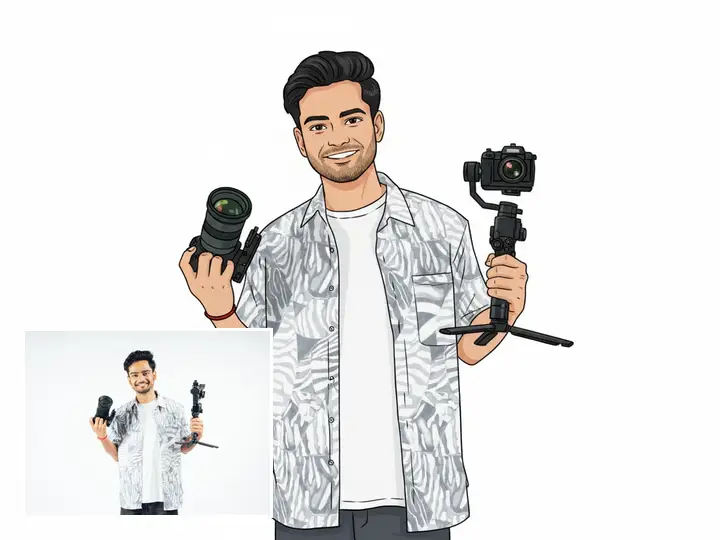 BeforeCreatorsIllustrated thumbnails and characters without drawing.
- AnimeClean line, flat colour, big eyes.
- StorybookPainted, warm, illustrated edges.
- 3DRendered character look with volume.
- LikenessThe face survives the trip into the style.
Frequently asked questions
Which cartoon styles can I choose?
Anime, storybook and 3D.
Will the cartoon still look like me?
Each style keeps the likeness of the face, so friends will still recognise you.
Do I need to install anything?
No. PixelPro runs in your browser on any phone or computer, upload, run the tool, download.
Will my photos be used to train AI?
No. Your photos are processed only to produce your result and kept so you can download it again. They are never sold or used for training.
Do downloads have a watermark?
No. Every download is full resolution with no watermark, and you can use it commercially.
How much does it cost?
PixelPro is a subscription with all thirteen tools included. Start at $1.99 for 7 days, then $29.99/month, or save with the quarterly plan. Cancel anytime from your account.